

ARTEMIS LED MASK DETAILED GUIDE
We appreciate you taking the time to learn more about the product. Below you'll find some helpful videos as well as a image/text based guide.
NOTE: Most of the videos/imagery are for iOS but the app is nearly identical for Android.
Expert Mode
There are two modes here: Diagnosis Mode and Manual Mode
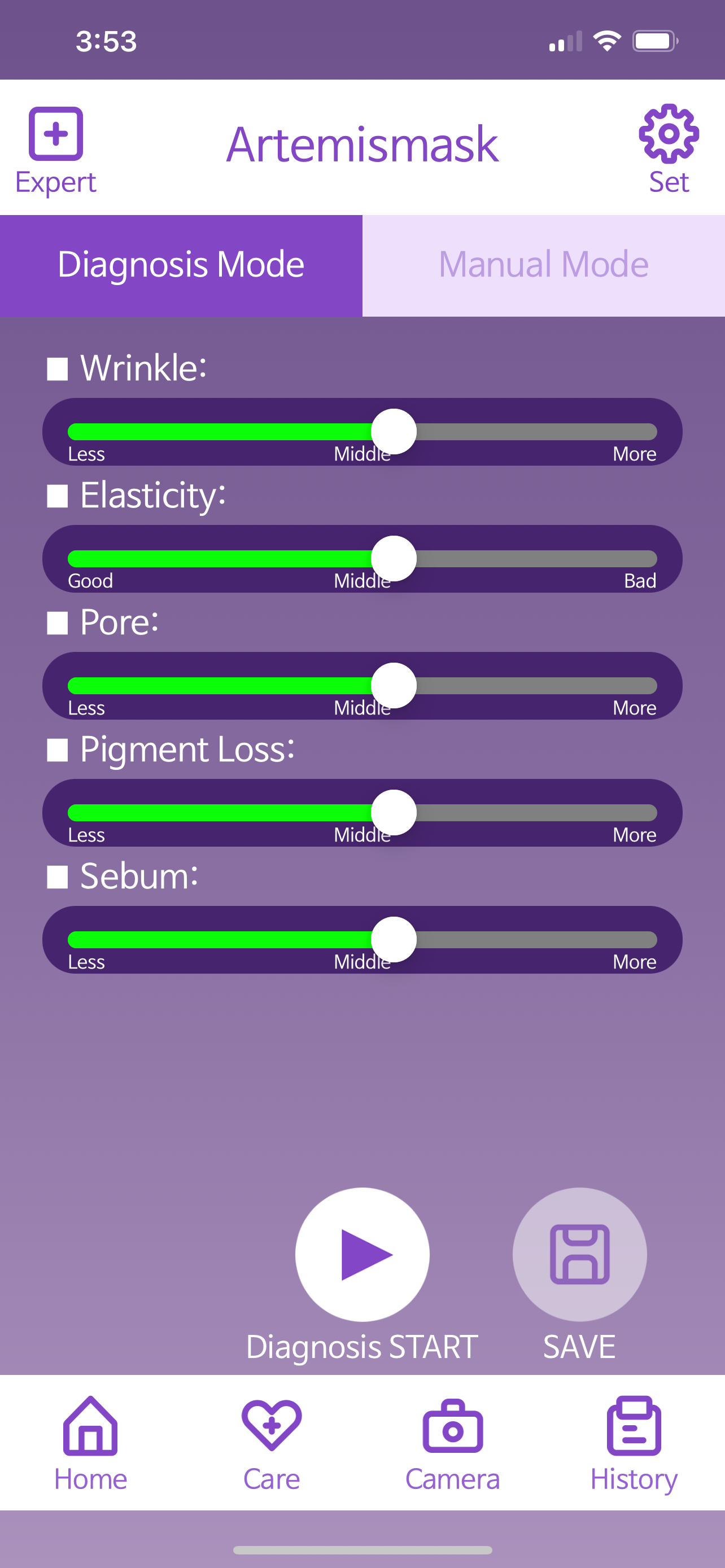
DIAGNOSIS MODE
This mode is good for adjusting based on the listed needs. Adjust the slider to more or less. This requires knowledge of either your own skin or your client's.
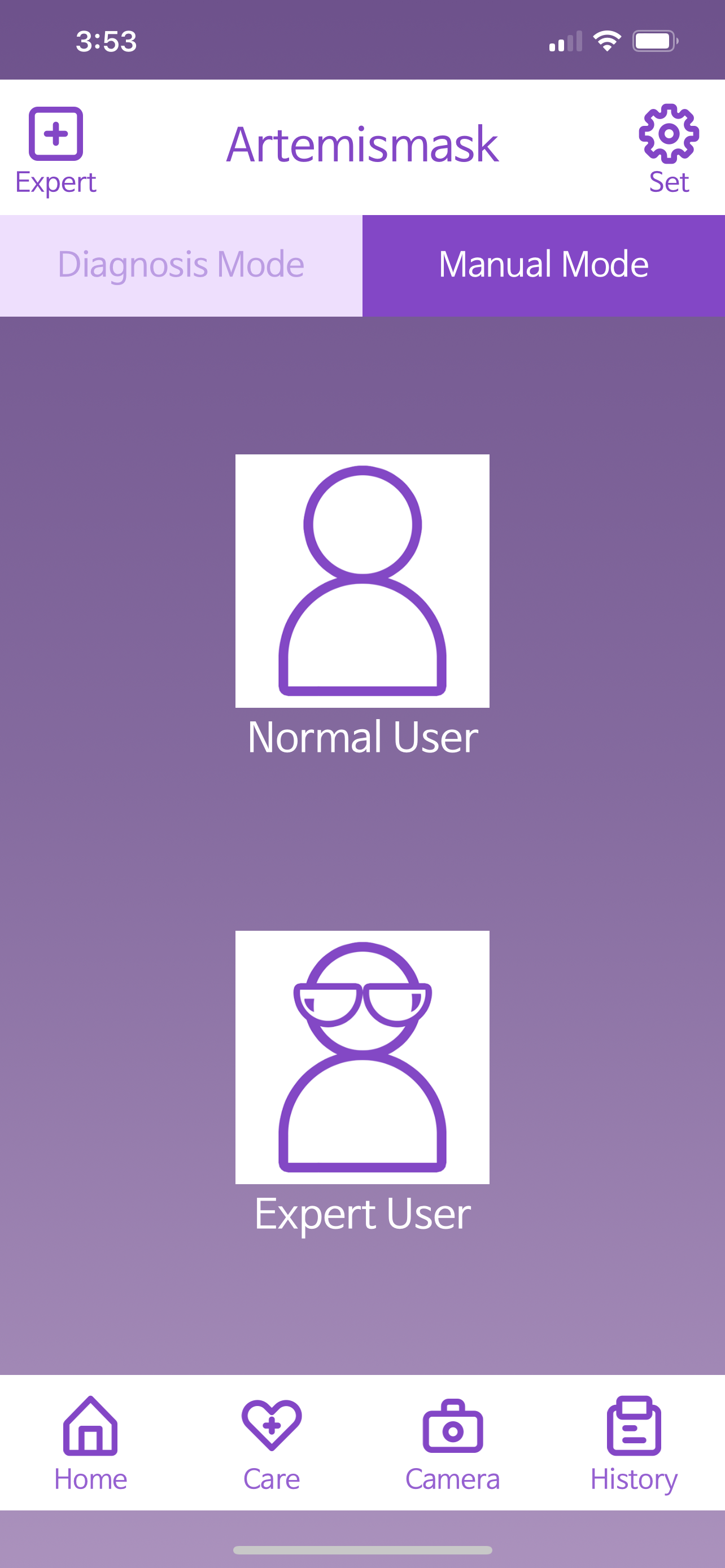
MANUAL MODE
Whether you choose normal or expert user, you'll be able to customize individual parts of the face. This also requires knowledge of your own, or your client's skin.
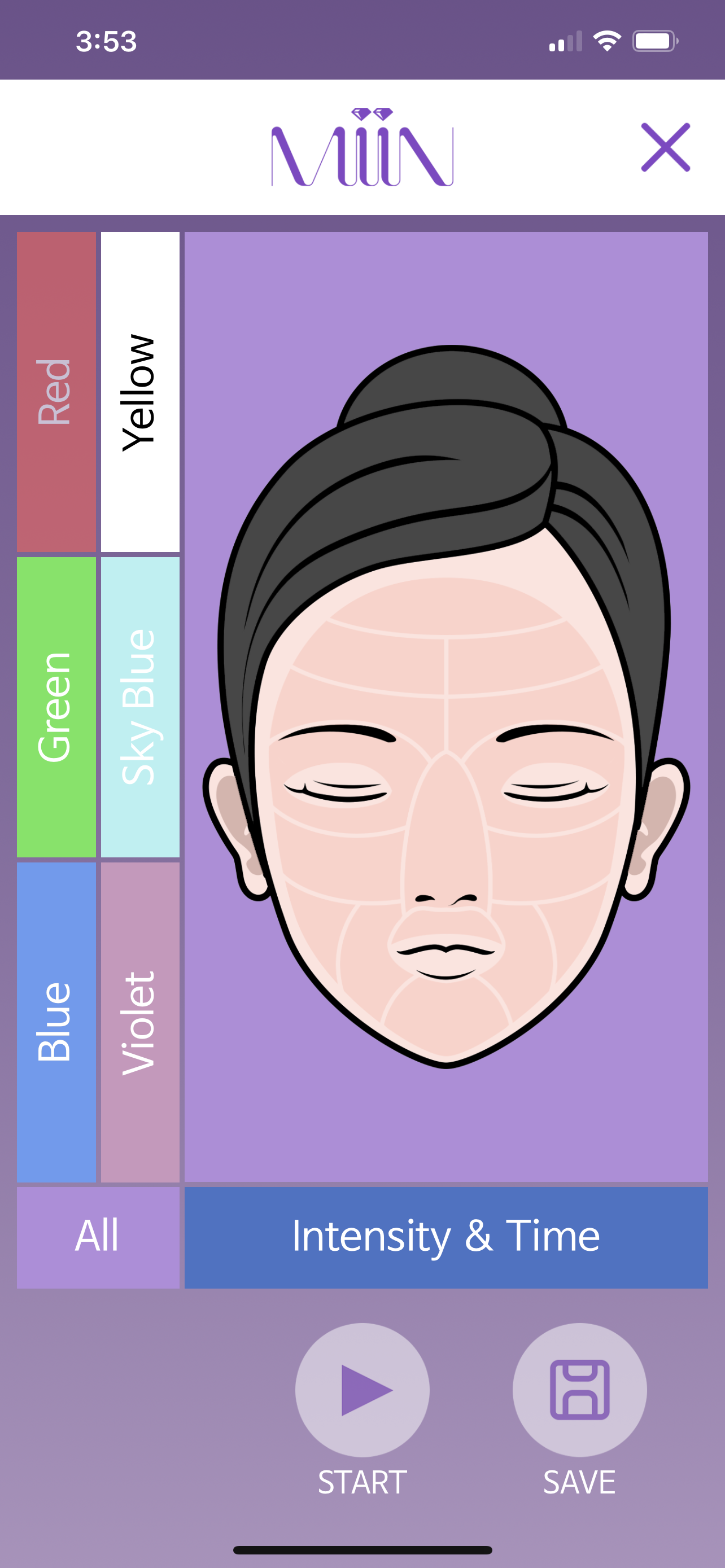
"EXPERT MODE"
There are a total of 16 areas to cover here.
To use this mode you simply select your color of choice. For instance we can start with blue, tap the blue color and then tap the section of the face where you'd like to apply it to. Repeat this process until the entire face is filled with your colors of choice.
You can then select the intensity and time.
CARE MODe
There are 3 modes here: Normal, Auto, and Recommend.
Normal and auto can be used with or without the app.
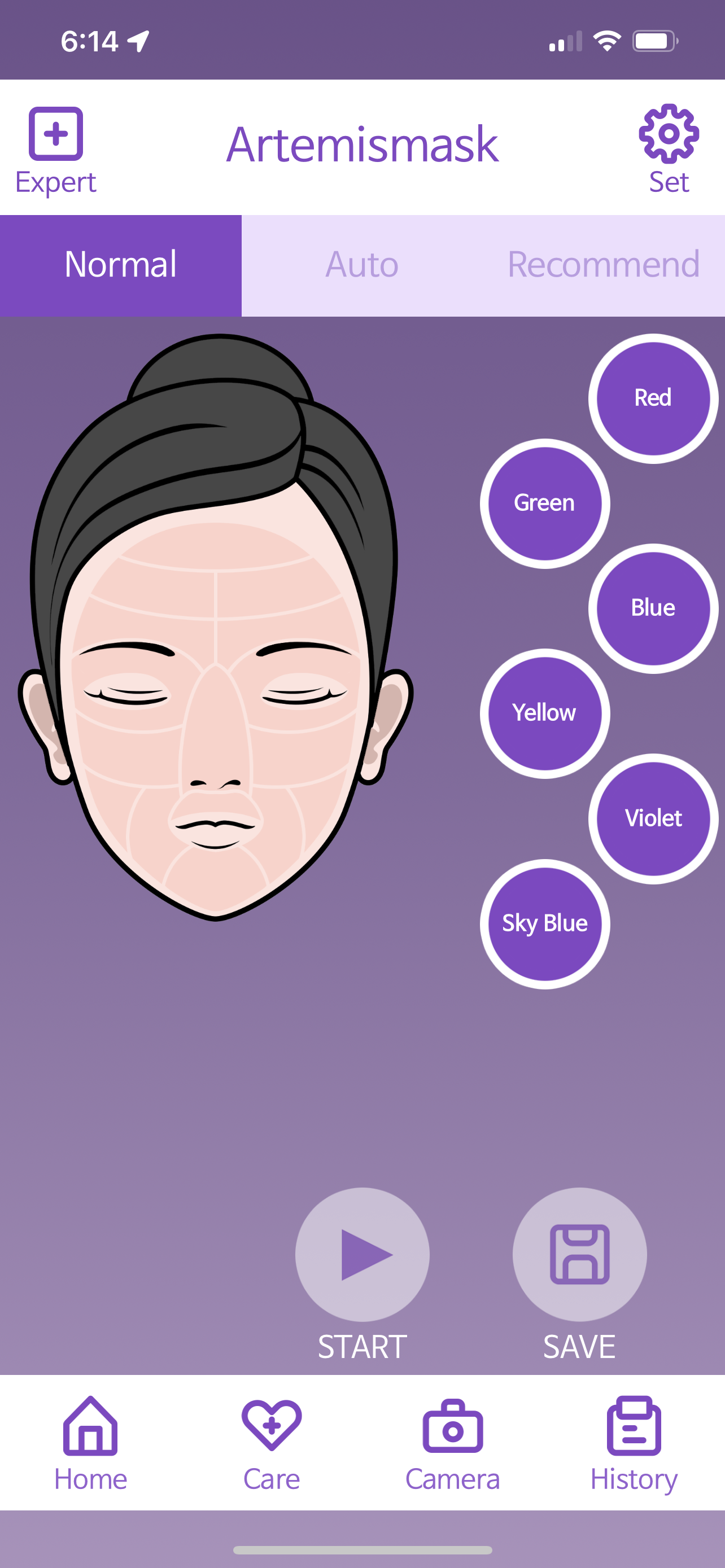
NORMAL MODE
Our most basic mode that applies one color to your entire face. Our color guide can be seen further below on this page. (This can be accessed without the app with short taps on the mask)
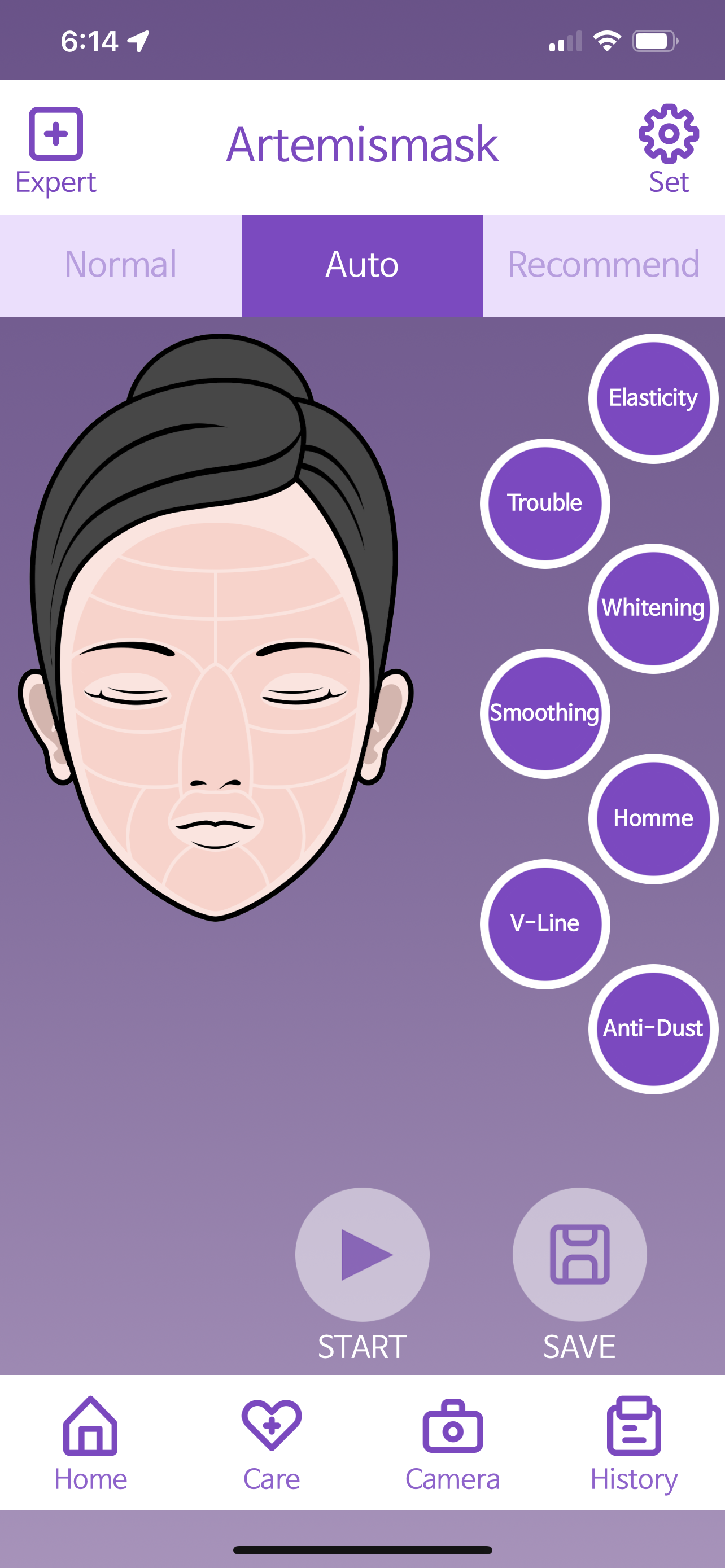
AUTO MODE
Auto modes cover a wide range of concerns/goals. Choose your desired goal. It is normal for colors to change during the treatment. (This can also be accessed without the app with long taps)
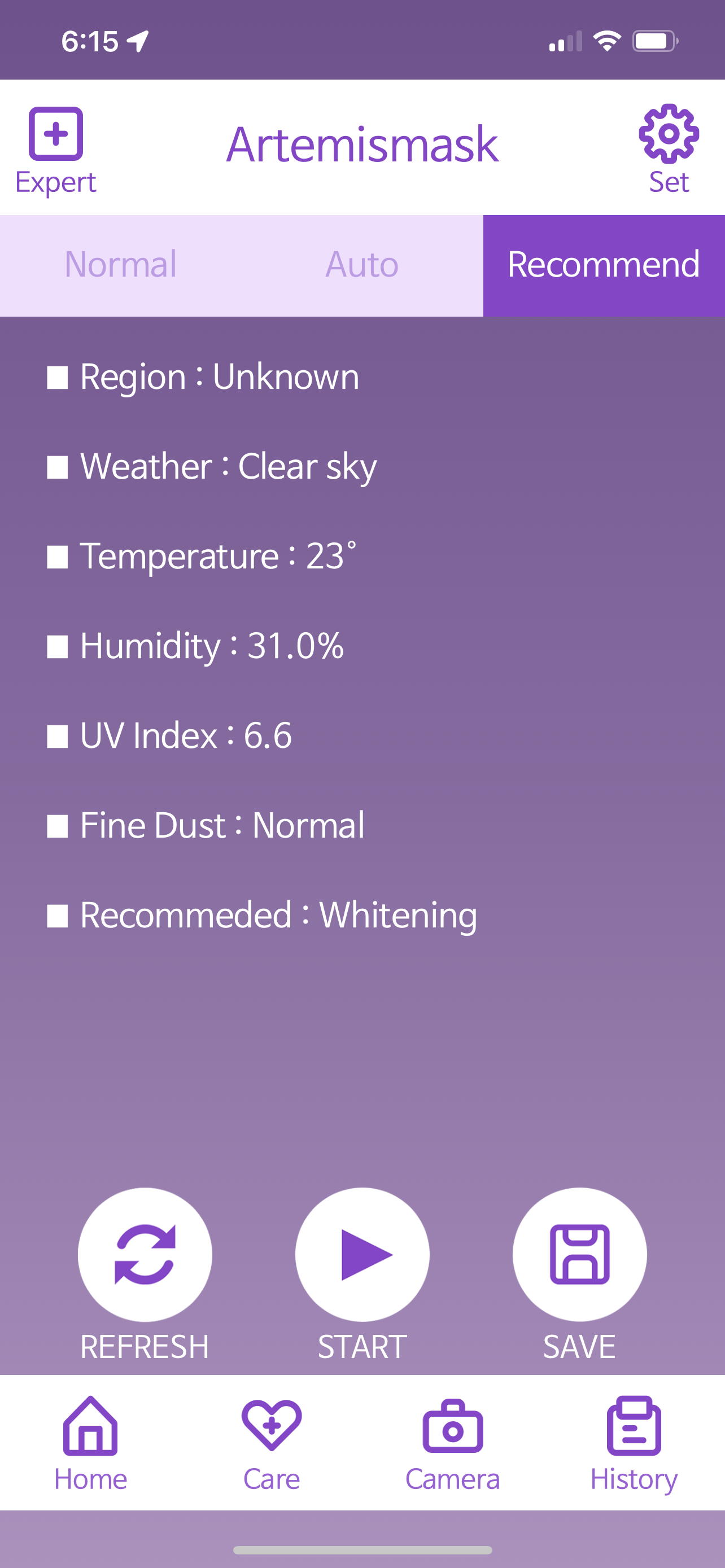
WEATHER MODE
This mode reads your local weather conditions and makes a recommended treatment. As you may already know, different seasons call for different skincare.
SAVE PROGRAMS
To speed things up for the future, you can save your favorite settings as programs. You can save up to 5 different programs which is a fantastic time saver, perfect if you have regular clients.
These can be quickly accessed from the home screen which is labeled as "PGM"
Should you need to change them, you can overwrite all programs.
COLOR GUIDE
When in doubt use the Ritual Builder below or use RED. Your Near Infrared LED lights will automatically be on (NIR is invisible to the human eye)
Our Recommendation:
Home Use: Start with 10-minute, level 7 treatments, 3-5x/week for 2 weeks. Assess skin and choose mode based on needs. Increase intensity, time, and frequency if experienced. Lower intensity and time if skin sensitivity occurs. Do not exceed 30 minutes per day.
Professional Use: Use Expert Mode to cater to client's needs, level 10 intensity, 30-minute sessions. Sterilize mask with UV case in between clients.
Build the habit that
builds the result
Map your skin concerns zone by zone — exactly like the Artemis app. Then lock in your ritual so the habit sticks.
What are your main skin concerns?
Select all that apply
When will you show up?
Pick your actual days — be honest with yourself
We've pre-suggested wavelengths based on your concerns. Unselected zones default to Red + NIR for universal collagen support.
Tap a wavelength to select it, then tap any zone to reassign.

What time will you actually do this?
Pick your most realistic window — not your ideal one